 Lyztin
Lists of anything.
That fill themselves in.
Wine. Storage bins. Everything you own. Recipes, tools, plants, parts, places. Lyztin lets you decide what a list is made of — then reads a photo, a label or a web page and fills the entry in for you.
Free for up to 10 lists. No card needed.
You decide what a list is made of
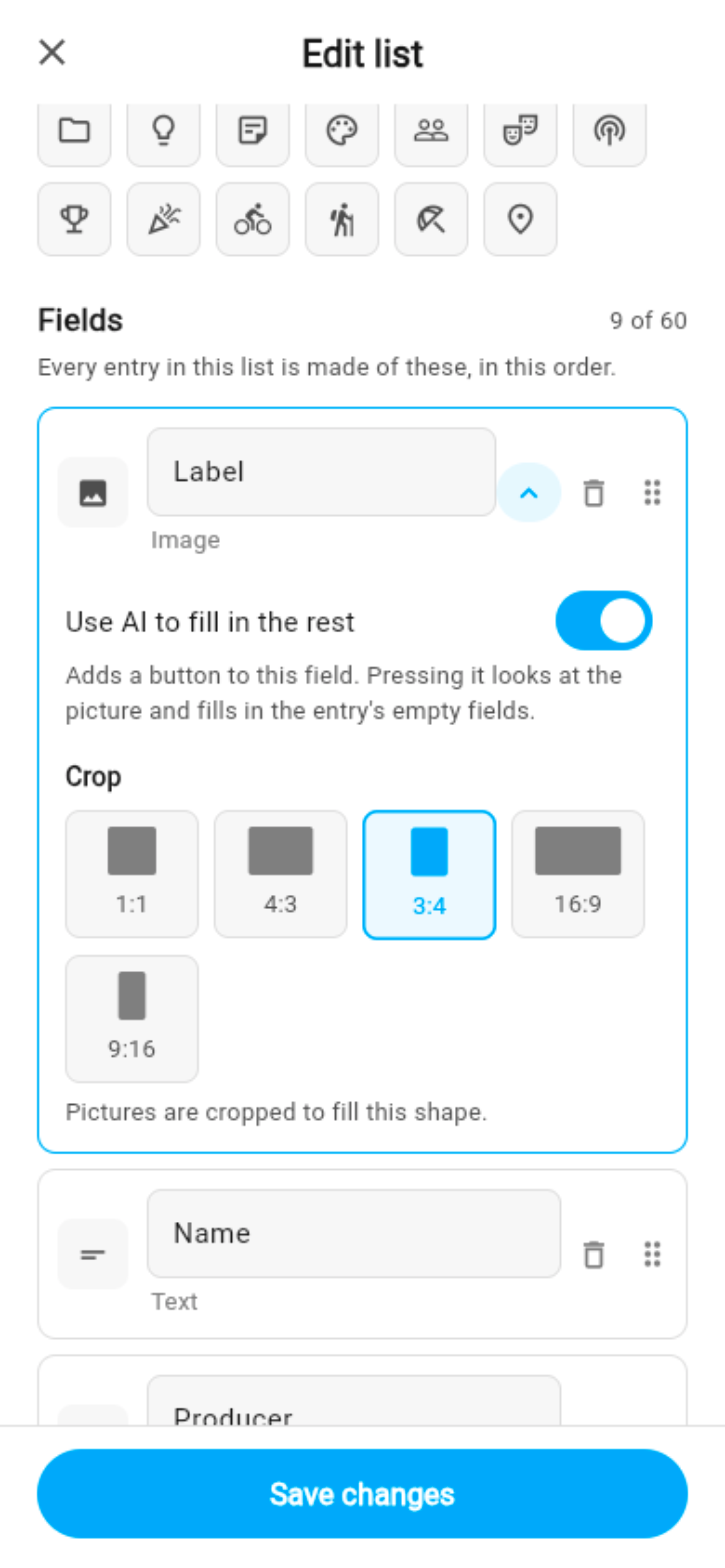
Pick how many fields an entry has, what kind, in what order. Every entry in the list then answers the same questions — so a wine list has a vintage and a grape, a bin list has a location and a photo, and a to-do list has a due date.
Twenty field types, and they know what they hold
A Select offers your own options. A Decimal keeps the decimal places you chose, with a unit on the end. A Website field previews the page. A Barcode scans. A Location shows a map. An Image crops to the ratio you picked; a gallery holds up to twenty. A YouTube field plays the video right in the row.
Change your mind later — add a field, reorder, retype — and every entry follows. Lyztin tells you exactly what a change would cost before you save it.
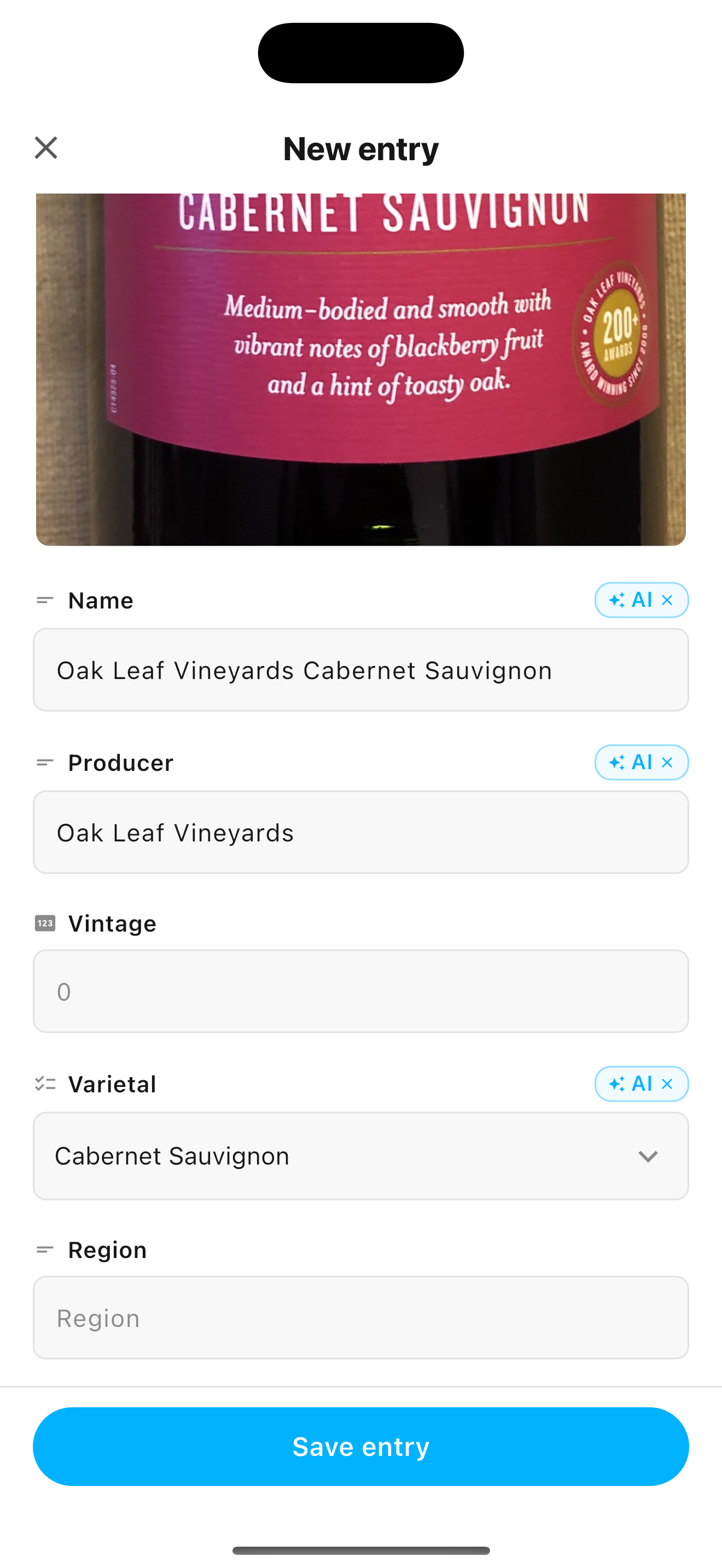
Point it at a label. It fills in the rest.
Switch AI on for a photo, a file, a web page or a block of text in your list. Press the button on an entry and Lyztin reads that content and fills in the other fields — the vintage off the bottle, the price off the page, the serial number off the sticker.
It answers your form, not a prompt
Your fields are the instructions. A Select can only be answered with one of your options, a Toggle with yes or no, a Decimal with a number. There is nothing to prompt and nothing to parse: the suggestions arrive already shaped like your list.
- It leaves blanks rather than guessing. A field it cannot read stays empty. No invented vintages.
- What you typed stays yours. A second run replaces only what AI filled in.
- Every fill is marked, so you can see what was read and what you wrote.
Works from a photo of a bottle, a PDF of a lease, a product page, or a paragraph you pasted in.
Or just ask Claude — or ChatGPT
Connect Lyztin to Claude or to ChatGPT and your lists become something you can talk to. The assistant can search them, read them, create new ones and add entries — keyed by your field names, so “add this to my Pantry list” means what it says.
You decide what it may do. Deleting is off unless you switch it on, and you can disconnect from inside Lyztin at any time.
Read how to build a whole home inventory from photographs of each room →
A code on the box. The contents on your phone.
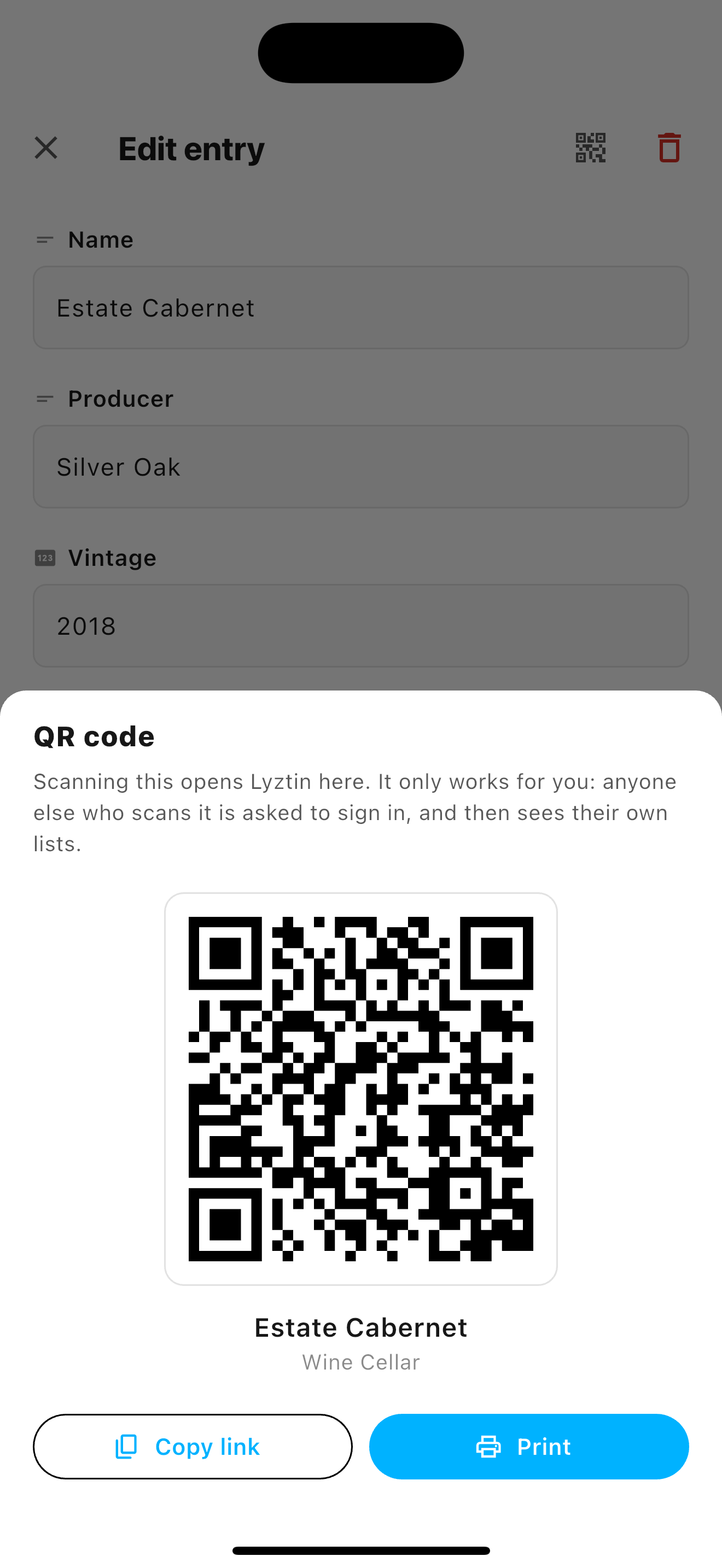
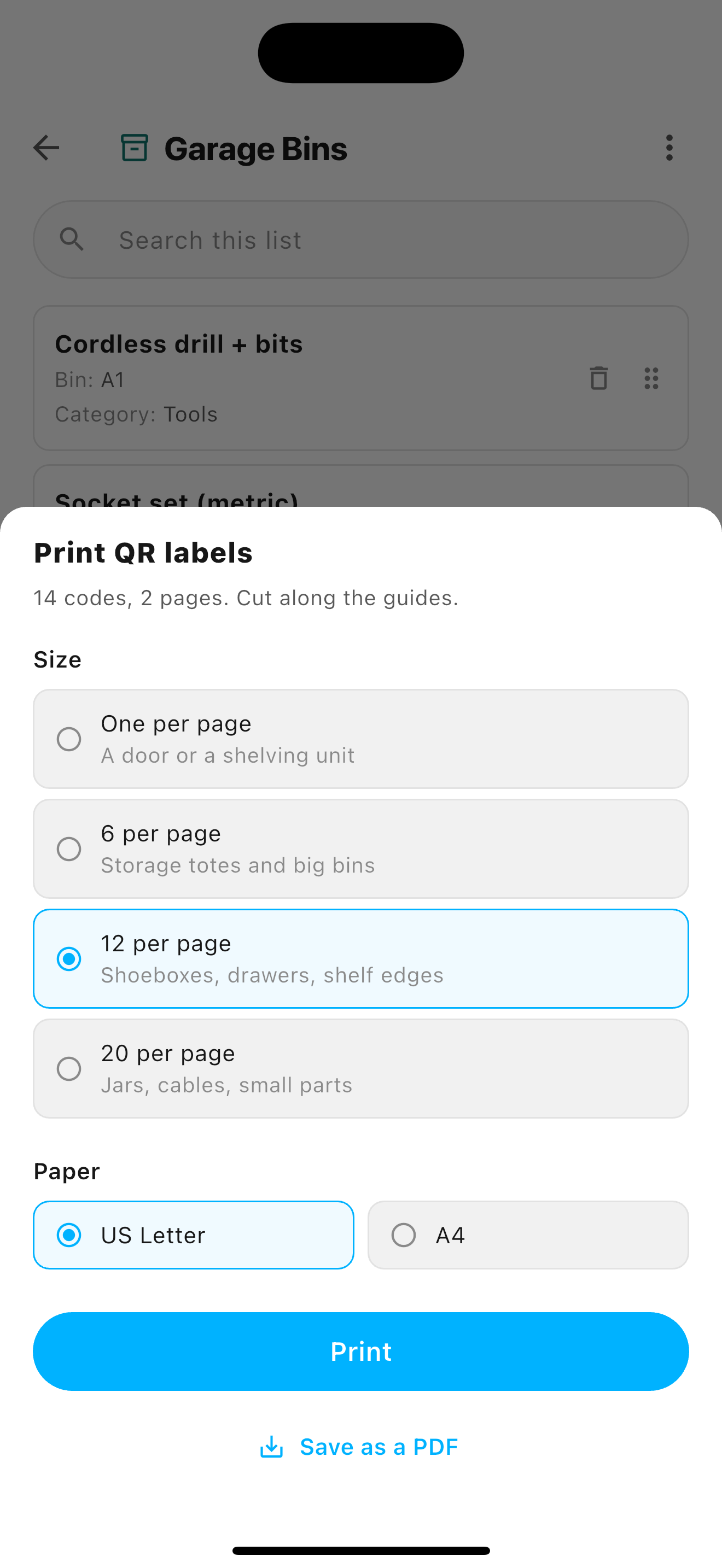
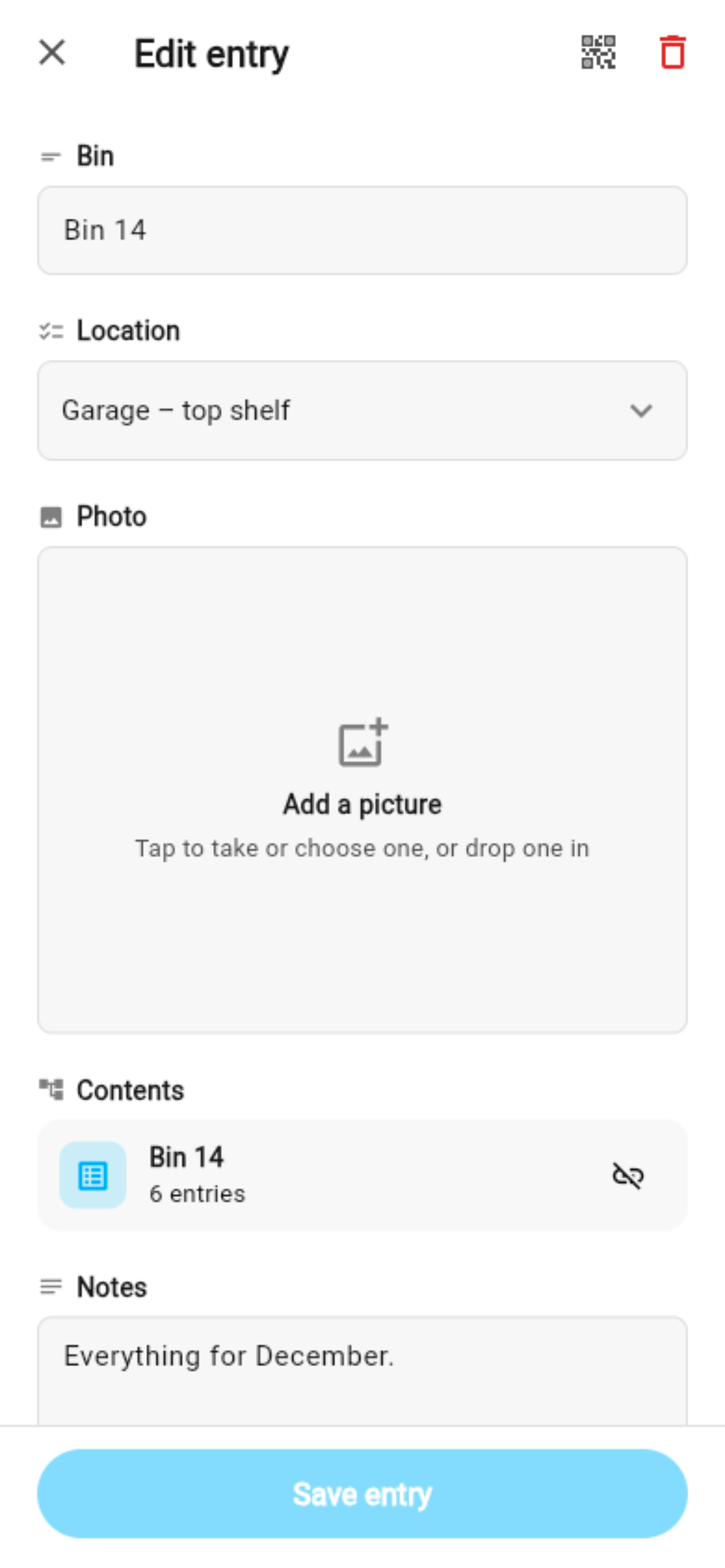
Any list, and any entry in it, can be given a QR code. Print a whole list as a sheet of labels, stick one on each bin, and scanning it opens that bin's entry — with the photo, the shelf it lives on and the list of what is inside.
The code is private: it only works for you. When you move a bin, you edit the entry, not the label.
Lists inside lists
One of the field types is a whole list. A “Rooms” list where every room holds a list of what is in it; a project where every task holds its subtasks; a bin whose entry holds its contents. Five levels deep, and search finds an item however far down it sits.
Delete a room and its list is not lost — it comes back to your home screen, whole. Nothing here ever deletes a list you did not ask to delete.
Share a list with a link
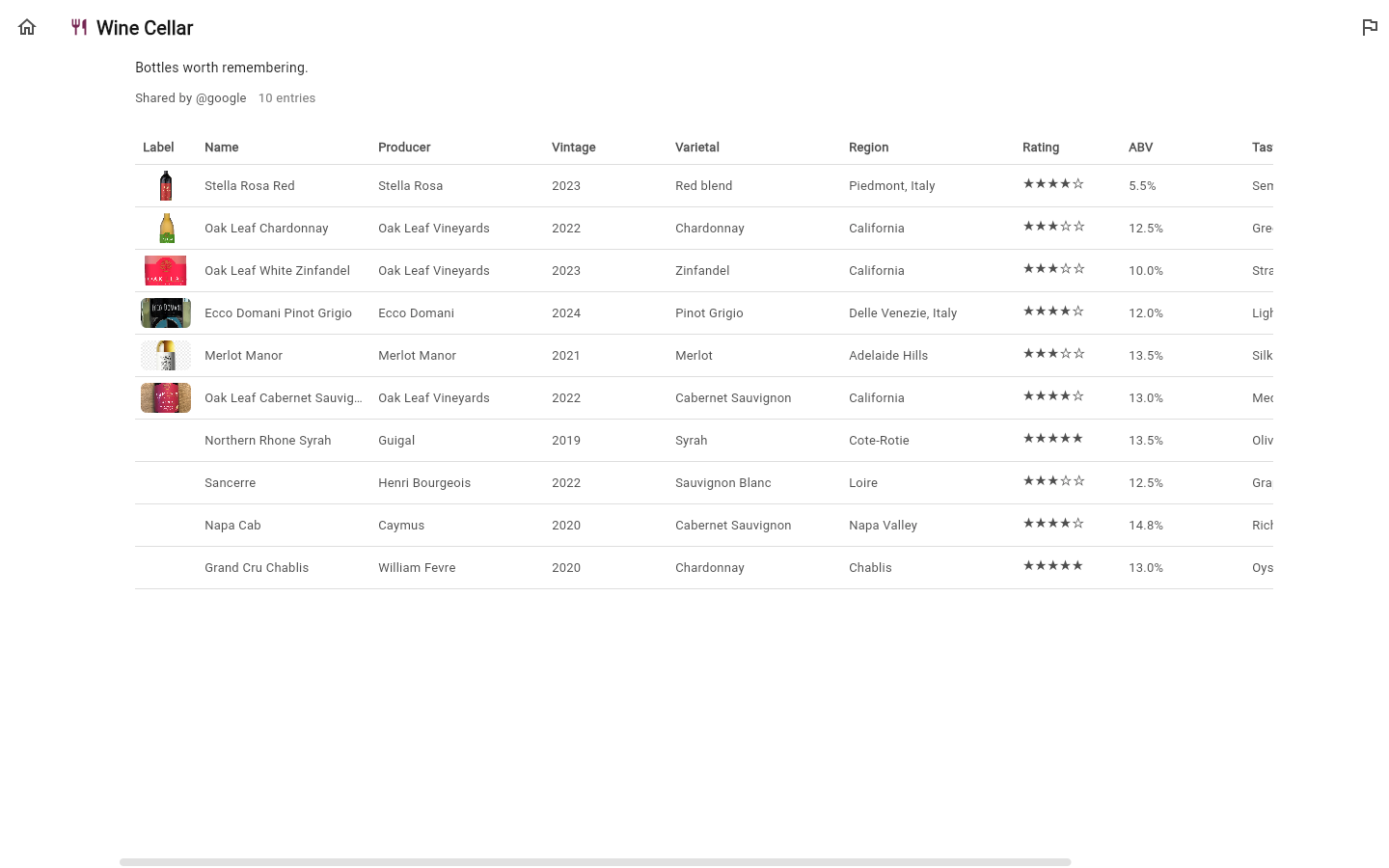
Turn sharing on and a list gets an unguessable link. Anyone holding it can read the list — on a phone, or as a full table in a browser — without an account. Nobody but you can change it, and you can withdraw the link whenever you like.
Paste the link into a message and it previews as a card, with the list's own cover picture.
Start from a template, or from scratch
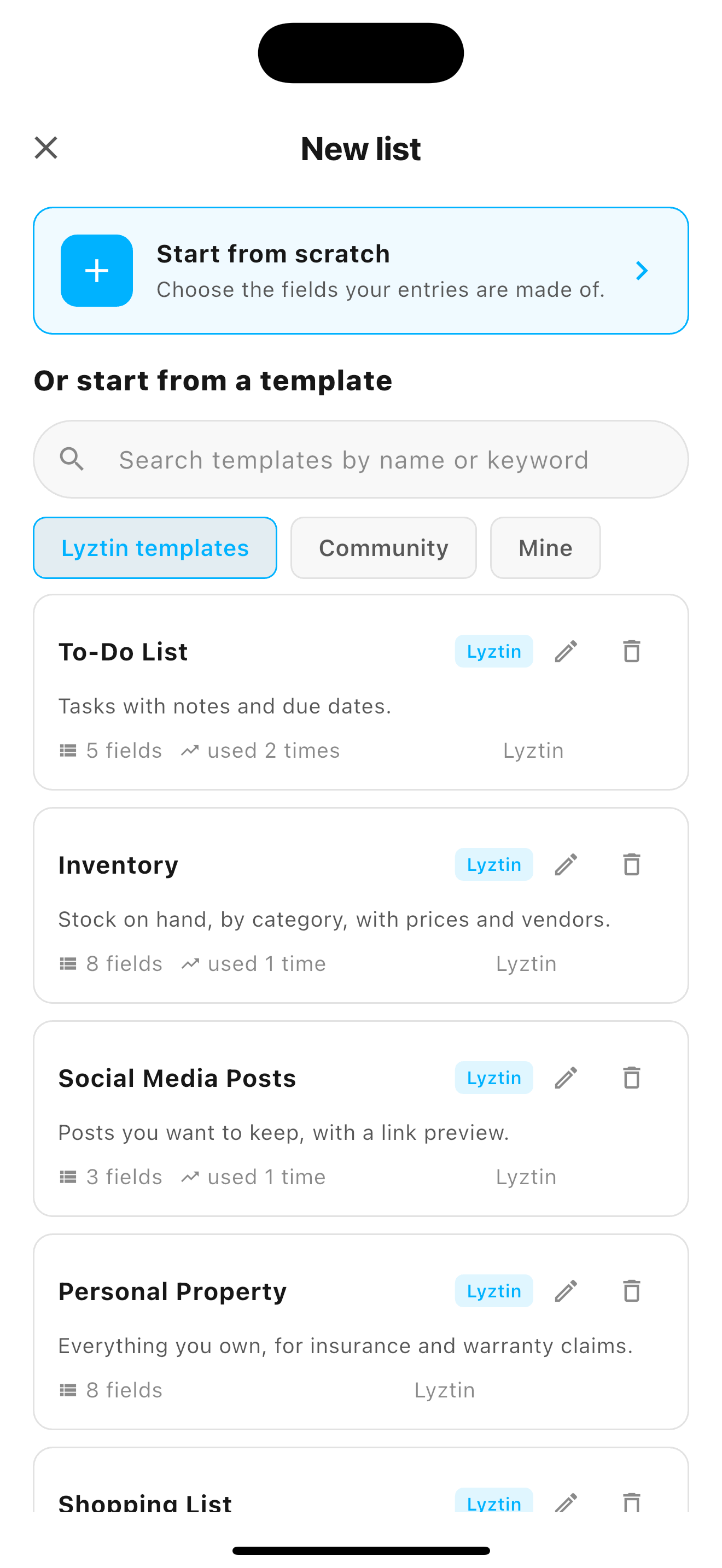
Six Lyztin templates — To-Do List, Shopping List, Expenses, Personal Property, Inventory, Social Media Posts — get you a working list in one tap. Or share the shape of a list you built as a community template, for everyone else to start from.
A template shares how your entries are shaped, never what is in them.
On the web, on your phone, on your wrist
One account, the same lists, on every device — and each version knows what its device is for.
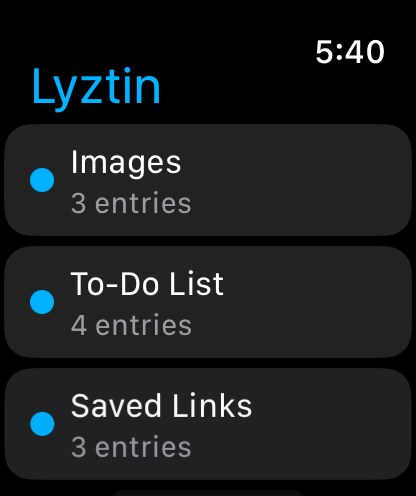
Your lists, on your wrist
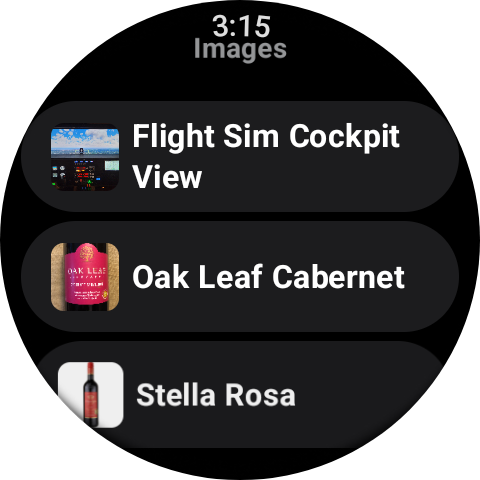
Every list, every entry, pictures included — glanceable from the watch while your hands are in the bin, the pantry or the toolbox. Connect it once from the phone and it signs in on its own from then on, so it works with the phone in another room.
The watch is a reader: it never adds, changes or deletes anything. The one thing it can press is a Webhook button — a button on an entry that calls a URL you configured. Wire a list to your lights, your garage door or a spreadsheet, and press it from your wrist.
Home screen widgets
Pin a list to your home screen. One tap adds an entry; the camera button adds one with the camera already open. A second widget goes straight to the QR scanner.
Share into a list
Lyztin is in your phone's share sheet. Send it a photo, a link, a file or some text from any other app and it files it into the list and field you choose.
Big screens, big windows
On a tablet, a foldable or a wide browser window the list sits beside the open entry, entries can be shown as a table, and the arrow keys walk through them.
Search everything
One search across every list and every entry, including the ones nested five levels down. Or search within a list, sort by any column, and print labels for exactly what you found.
Yours, and private
A list belongs to the person who made it. Nothing is public unless you share it, and a shared link can be withdrawn. No analytics trackers, no ads.
Buttons that do things
A Webhook field is a button on every entry that calls a URL you configure, with the entry's own values filled into the request. Wire a list to anything — and press it from your phone, your browser or your watch.
What people make with it
Worked examples, start to finish.

Label every bin with a QR code and never open the wrong one again
A Bins list, a Contents list inside each bin, a sheet of labels, and a search that says which box the thing is in.

Photograph every room, and let Claude write the inventory
Connect Claude, hand it the pictures, and get a Rooms list with the contents of each room — the list an insurance claim needs.

Put a list on your home screen
Two widgets: one that adds an entry to a list in a tap, and one that opens the QR scanner.

Lyztin on your wrist
Every list and entry on an Apple Watch or a Wear OS watch, pictures included — and the Webhook buttons.
Make your first list
Free for up to 10 lists, with a starter AI allowance. Plus and Pro lift the limits when you need them to.
Get Started for Free